

Use labels on Cloud Run services for a billing breakdown
Thanks to @glasnt for the tip on this one. If you want a per-service breakdown of pricing on your Google Cloud Run services within a project (each service is a different deployed application) the easiest way to do it is to apply labels to those services, then request a by-label pricing breakdown.
This command will update a service (restarting it) with a new label:
gcloud run services update csvconf --region=us-central1 --platform=managed --update-labels service=csvconfI found it needed the --platform=managed and --region=X options to avoid it asking interactive questions.
Here’s a bash script which loops through all of the services that do NOT have a service label and applies one:
#!/bin/bashfor line in $( gcloud run services list --platform=managed \ --format="csv(SERVICE,REGION)" \ --filter "NOT metadata.labels.service:*" \ | tail -n +2)do IFS=$','; service_and_region=($line); unset IFS; service=${service_and_region[0]} region=${service_and_region[1]} echo "service: $service region: $region" gcloud run services update $service \ --region=$region --platform=managed \ --update-labels service=$service echodoneIt runs the equivalent of this for each service:
gcloud run services update asgi-log-demo --region=us-central1 --platform=managed --update-labels service=asgi-log-demoI saved that as a runme.sh script, run chmod 755 runme.sh and then ./runme.sh to run it.
The output of the script looked like this (one entry for each service) - each one took ~30s to run.
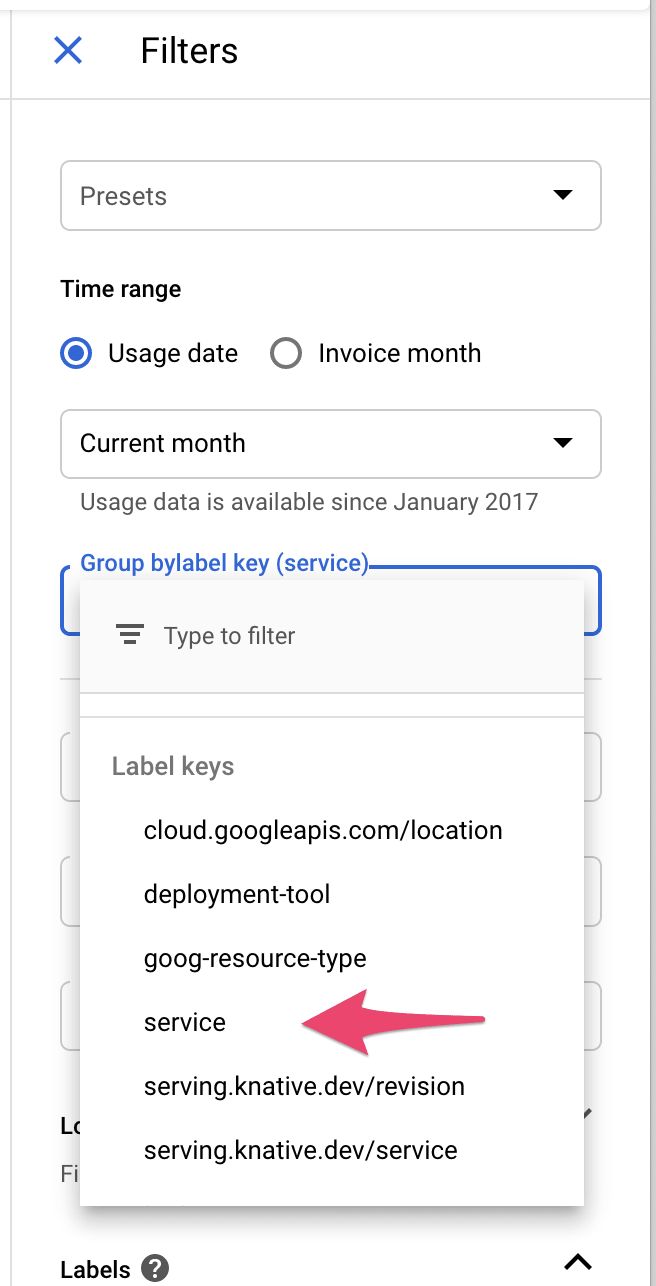
Service [covid-19] revision [covid-19-00122-zod] has been deployed and is serving 100 percent of traffic at https://covid-19-j7hipcg4aq-uc.a.run.app✓ Deploying... Done. ✓ Creating Revision... ✓ Routing traffic...Done.I had to wait a couple of days for this to take effect, but once it did I could get results by visiting Billing -> Reports, then selecting service from the group by menu here:
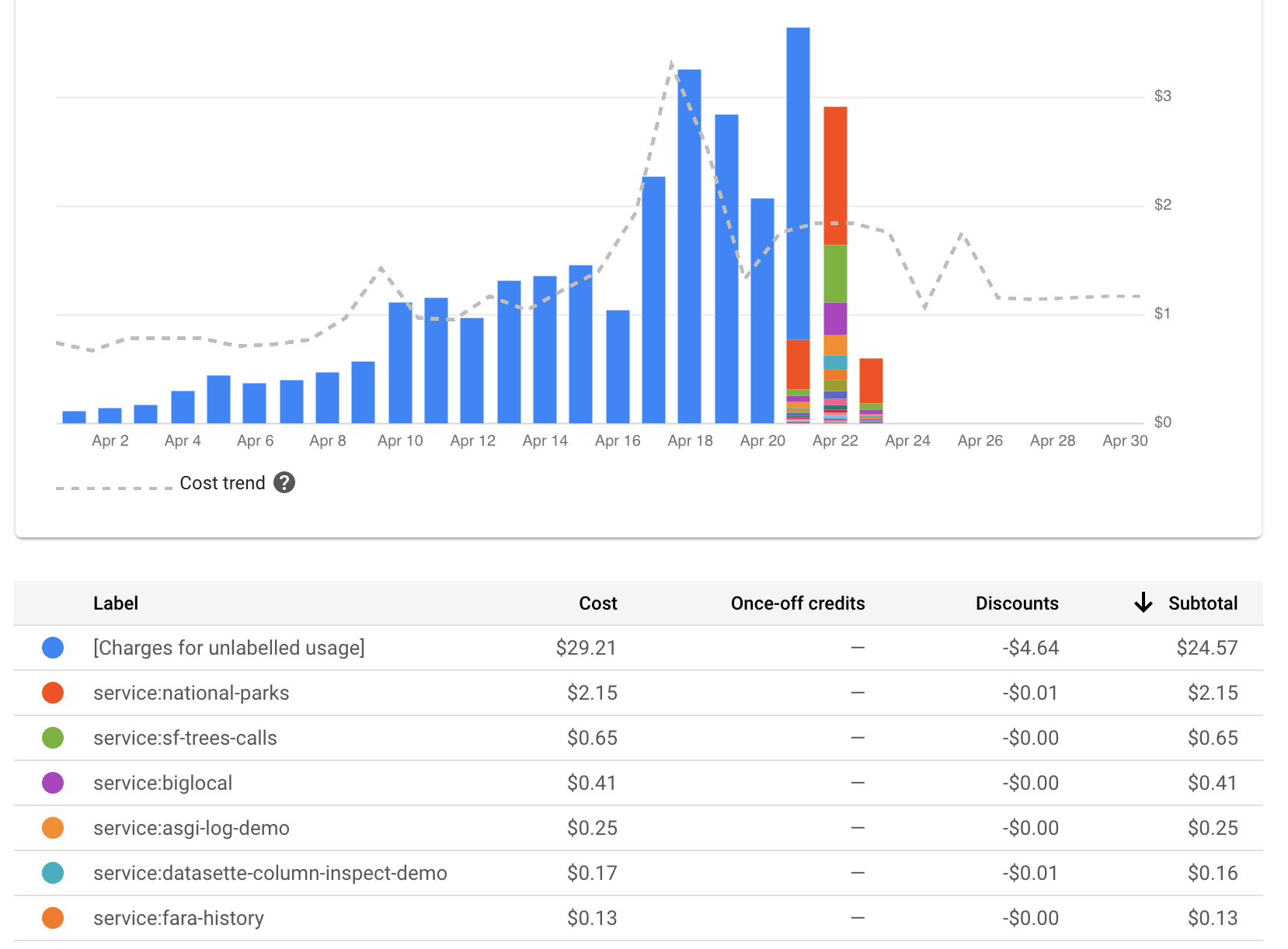
The graph (I picked bar chart over line chart) looked like this:
Using the metrics explorer
Even without setting up these extra service labels the Metrics explorer can show you breakdowns of billing time against different services.
Here’s how to configure that:

Bookmarked query (only works for me)