Running Datasette on Hugging Face Spaces
Julien Chaumond, this morning (replying to my tweet about my Hugging Face TheBloke model git scraper):
You could host the resulting Datasette instance on HF Spaces btw, would be very cool
I’d been meaning to figure out Hugging Face Spaces, so this felt like a good opportunity to dig in.
Hugging Face Spaces
Spaces is effectively a scale-to-zero hosting platform, aimed at machine learning models but capable of hosting anything that can run in a Docker container.
Each Spaces has a git repository. Any time you push to that git repository the Space will be rebuilt and redeployed.
Using it feels a bit like using Heroku.
Free spaces get a generous 16GB of RAM with 2 vCPUs and 50GB of ephemeral storage. You can pay to upgrade to more powerful instances, including instances that have a persistent disk ($5/month for 20GB).
Running Datasette on Spaces
My first attempt to run Datasette used a single Dockerfile, and worked out of the box:
FROM python:3.11
WORKDIR /code
COPY ./requirements.txt /code/requirements.txt
RUN pip install --no-cache-dir --upgrade -r /code/requirements.txt
CMD ["datasette", "--host", "0.0.0.0", "--port", "7860"]My requirements.txt file was a single line:
datasetteThis starts with Python 3.11, installs Datasette, then runs it on port 7860 (the port required by Hugging Face Spaces).
Creating a Space and pushing to Hugging Face
This actually took me a bit of time to work out. The Spaces welcome screen encourages you to checkout via git clone https://... - but I couldn’t figure out how to push again on macOS.
So I switched to SSH instead, which worked fine.
- Create a new Space and note the name
- Paste your SSH public key into your Hugging Face profile - I used
cat ~/.ssh/id_ed25519.pub | pbcopyto paste mine. - Clone the new Space git repository to your local machine:
I had to guess the format for this, it took a few tries but it go there. It would be great if the Spaces UI gave you this exact command to run.
Terminal window git clone git@hf.co:spaces/simonw/datasette-thebloke
That’s it! Now you can commit files and push them to the Space, and they’ll be built and deployed.
Running Datasette against a database
The above example worked, but it gave me Datasette without any actual data to serve.
I wanted to serve a database of data collected by my scraper. I haven’t automated this process yet, but here’s what I did:
- Create a
history.dbdatabase using git-history (more on that tool here):Terminal window pipx install git-historygit clone https://github.com/simonw/scrape-huggingface-modelscd scrape-huggingface-modelsgit-history file history.db TheBloke.json --id id - Upload that
history.dbto an S3 bucket - URL is now https://static.simonwillison.net/static/2023/history.db - Update the
Dockerfileto download and run that database, then pushed it to Hugging Face.
Here’s the updated Dockerfile:
FROM python:3.11
WORKDIR /code
COPY ./requirements.txt /code/requirements.txt
RUN pip install --no-cache-dir --upgrade -r /code/requirements.txt
ADD https://static.simonwillison.net/static/2023/history.db /code/history.db
RUN sqlite-utils tables /code/history.db --countsRUN chmod 755 /code/history.db
COPY ./metadata.yml /code/metadata.yml
CMD ["datasette", "/code/history.db", "-m", "/code/metadata.yml", "--host", "0.0.0.0", "--port", "7860"]And the new metadata.yml file:
title: History of TheBloke modelsabout: simonw/scrape-huggingface-modelsabout_url: https://github.com/simonw/scrape-huggingface-modelsdescription_html: |- <p>Browse the history of models in <a href="https://huggingface.co/TheBloke">huggingface.co/TheBloke</a>.</p> <p>Uses <a href="https://simonwillison.net/2020/Oct/9/git-scraping/">Git scraping</a> and <a href="https://datasette.io/tools/git-history">git-history</a>.</p>One oddity here is that I had to chmod 755 that history.db file in order for it to work. I don’t know why - before I added that step Hugging Face Spaces showed me this error on startup:
Error running a Docker container: Path ‘/code/history.db’ is not readable
UPDATE: Nikhil Thorat pointed me to the Docker Spaces Permissions documentation which explains why this happened:
The container runs with user ID 1000. To avoid permission issues you should create a user and set its
WORKDIRbefore anyCOPYor download.
The result
Here’s the freshly deployed Datasette instance:
https://huggingface.co/spaces/simonw/datasette-thebloke
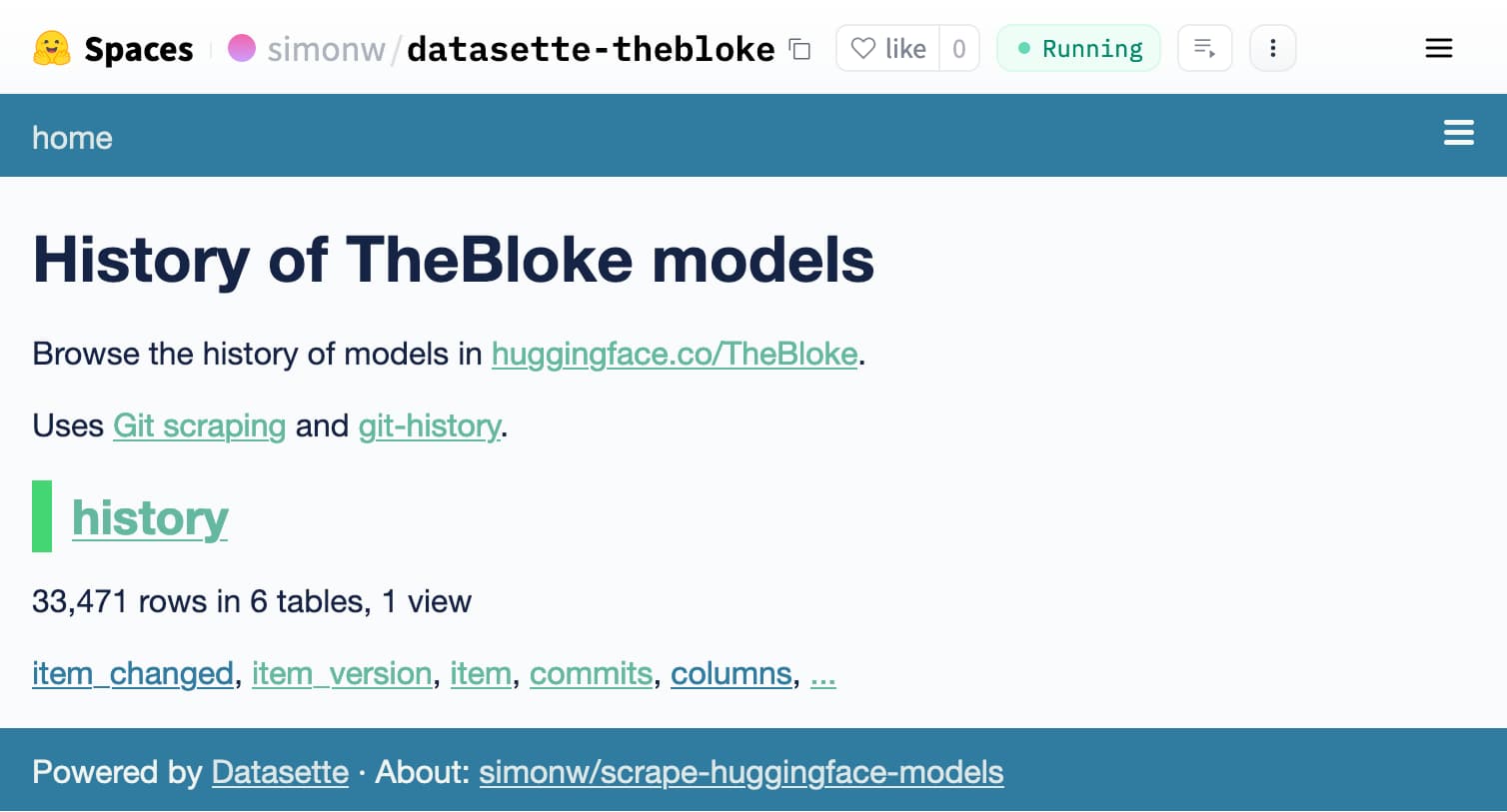
There’s one catch: the default URL serves the app in an <iframe>, like it’s the 90s!
This is bad news for Datasette because it’s very much designed around bookmarkable URLs.
Thankfully there’s nothing to stop you from skipping out of the frame and linking directly to pages, like this:
https://simonw-datasette-thebloke.hf.space/
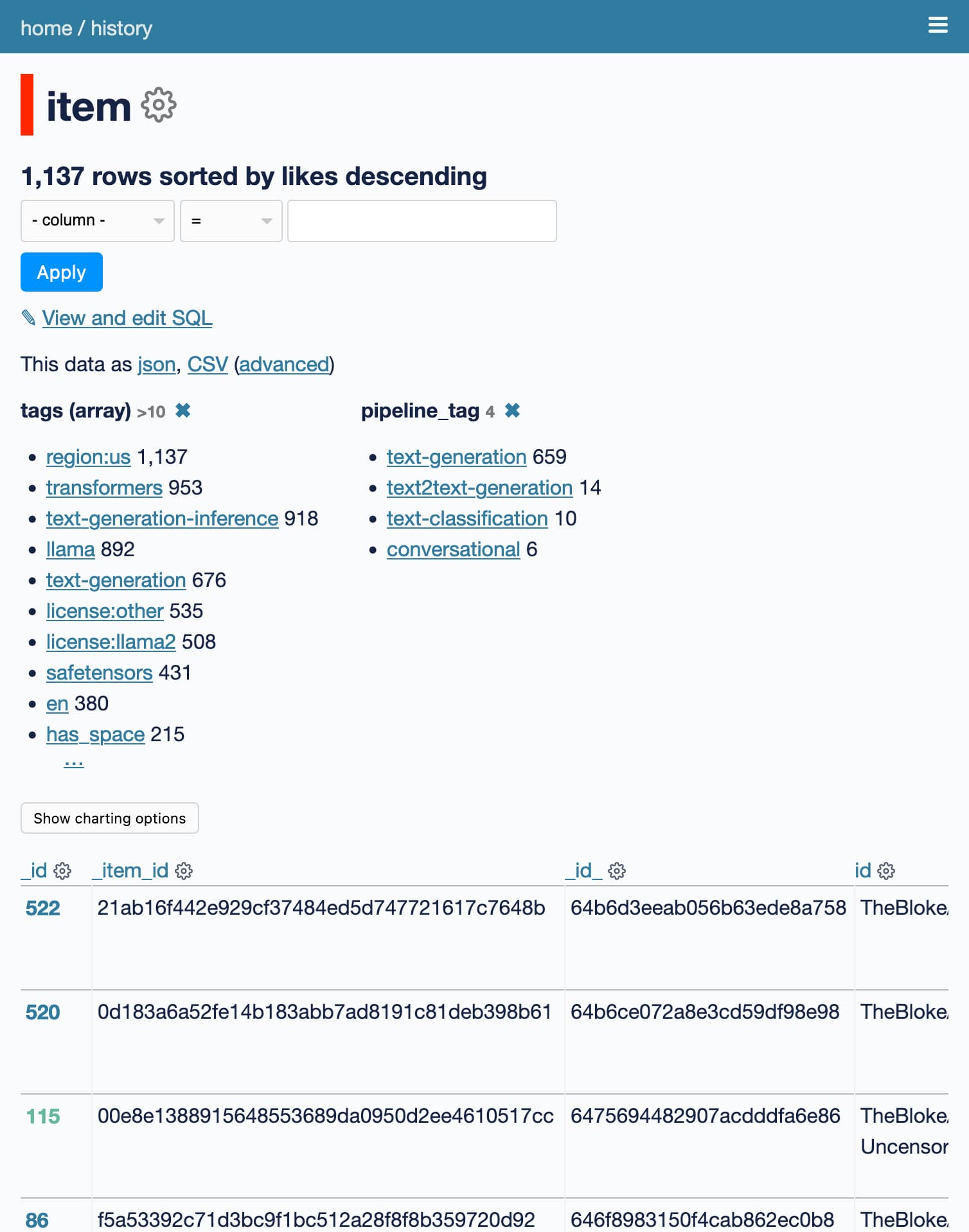
Here’s a link that shows models with some facets enabled, ordered by likes: