

Newsletter
TechAnV Blog
Get updates on security engineering, Rust, eBPF, and DevSecOps. No spam, unsubscribe anytime.
Check your inbox and click the confirmation link to complete your subscription.
How to get Cloudflare to cache HTML#
To my surprise, if you setup a Cloudflare caching proxy in front of a website it won’t cache HTML pages by default, even if they are served with cache-control: headers.
This is documented here:
Cloudflare does not cache HTML resources automatically. This prevents us from unintentionally caching pages that often contain dynamic elements.
I figured out how to get caching to work using a “Cache Rule”. Here’s the rule I added:
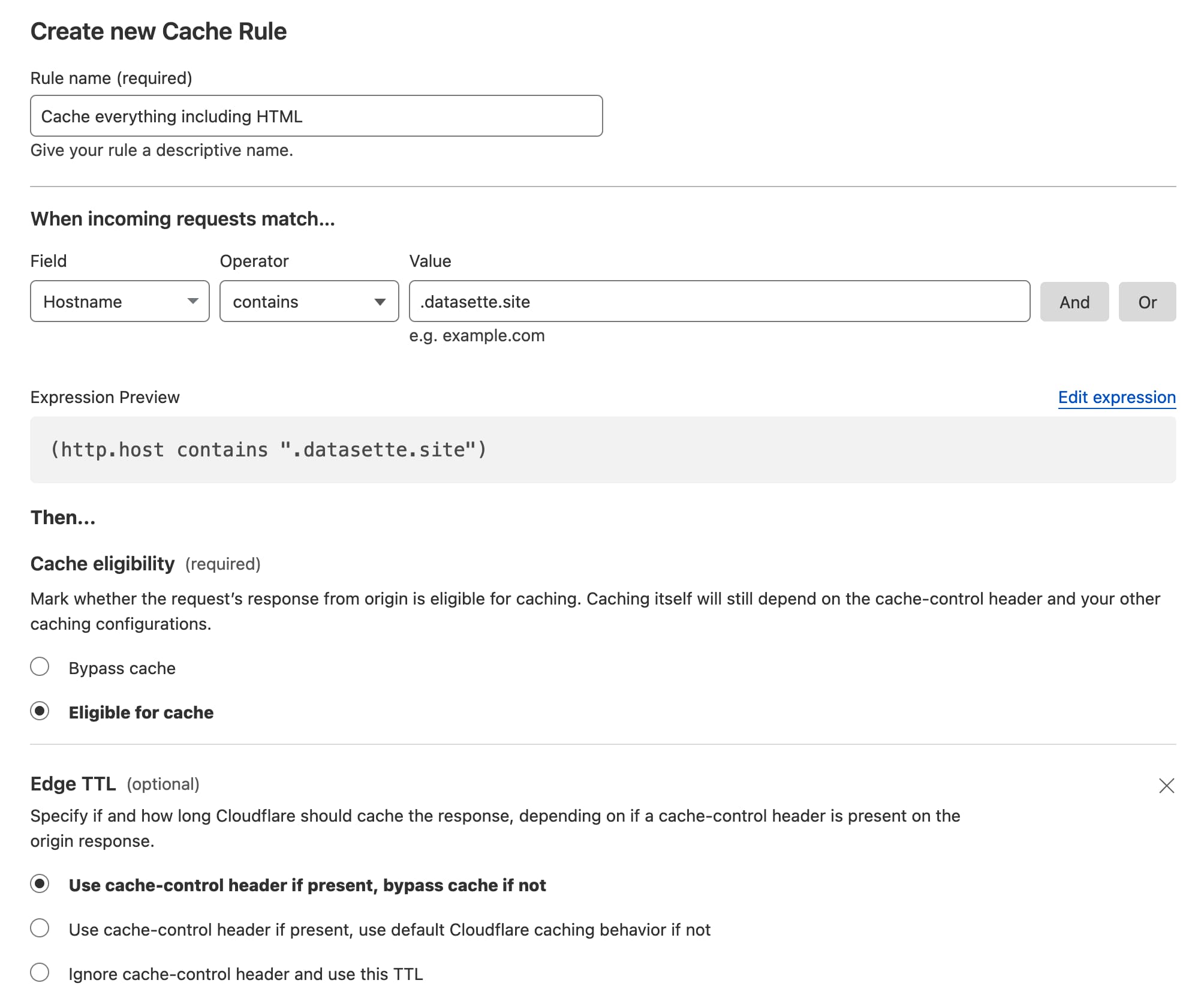
I’ve told it that for any incoming request with a hostname containing .datasette.site (see background in my weeknotes) it should consider that page eligible for caching, and it should respect the cache-control header.
With this configuration in place, my backend can now serve headers that look like this:
cache-control: s-maxage=15
This will cause Cloudflare to cache the page for 15 seconds.
I tried to figure out a rule that would serve all requests no matter what they looked like, but the interface would not let me leave the rules blank - so hostname contains .datasette.site was the best I could figure out.
Newsletter
TechAnV Blog
Get updates on security engineering, Rust, eBPF, and DevSecOps. No spam, unsubscribe anytime.
Check your inbox and click the confirmation link to complete your subscription.