

Newsletter
TechAnV Blog
Get updates on security engineering, Rust, eBPF, and DevSecOps. No spam, unsubscribe anytime.
Check your inbox and click the confirmation link to complete your subscription.
Get Skitch working on Catalina#
I really like Skitch for taking screeshots, mainly because I like to snap a quick shot and then drag the icon onto a Google Doc or similar without saving the file anywhere.
Getting it working on Catalina was a bit tricky.
First, install it from the App Store.
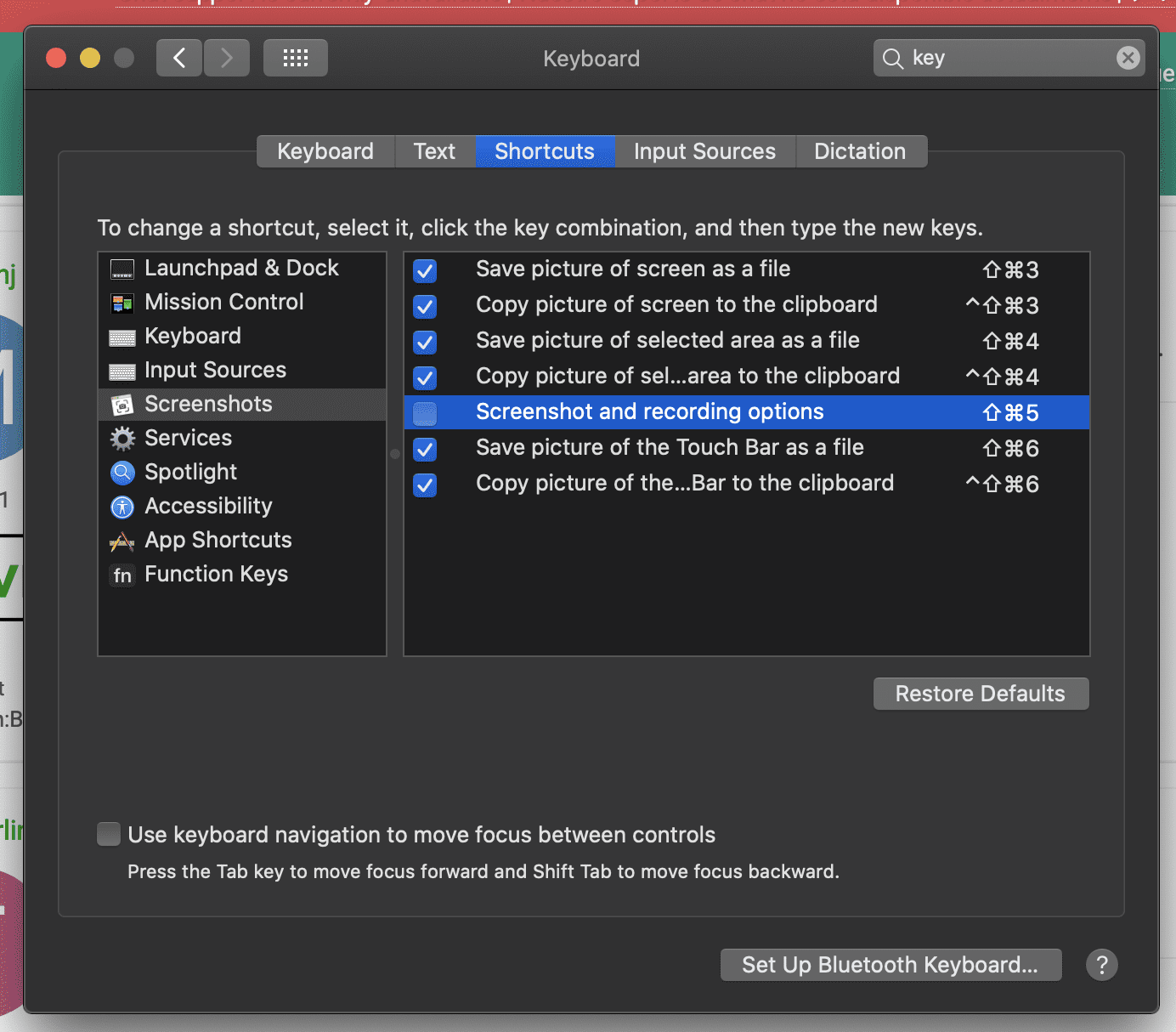
Next, disable the default Shift+Command+5 system shortcut so Skitch can use it instead:
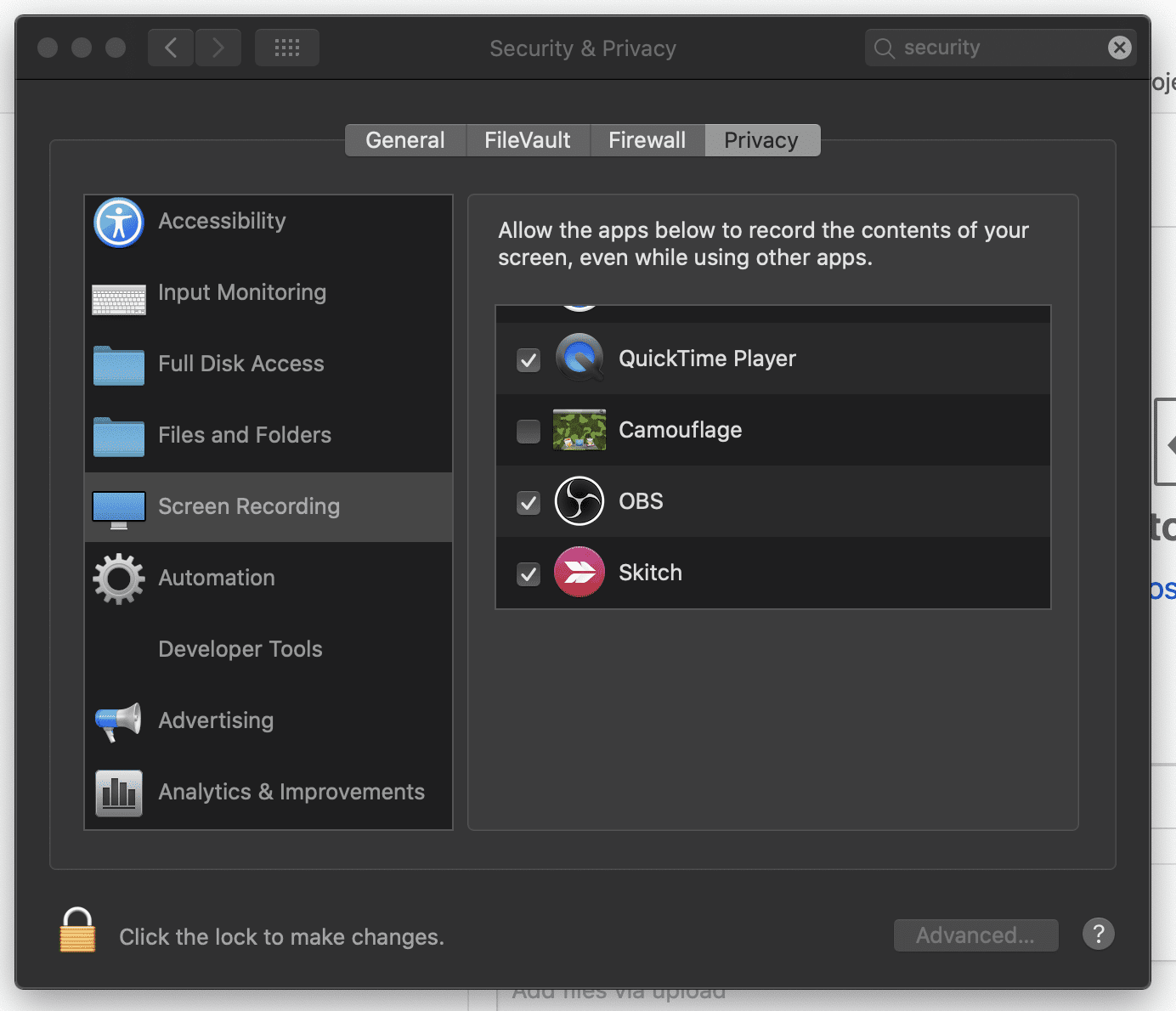
Then give Skitch permission to record your screen. Without that every screenshot will come out as a snippet of your desktop background!
Newsletter
TechAnV Blog
Get updates on security engineering, Rust, eBPF, and DevSecOps. No spam, unsubscribe anytime.
Check your inbox and click the confirmation link to complete your subscription.