

Analyzing Google Cloud spend with Datasette
Google Cloud provide extremely finely grained billing, but you need to access it through BigQuery which I find quite inconvenient.
You can export a dump from BigQuery to your Google Drive and then download and import it into Datasette.
I started with a SELECT * query against the export table it had created for me:
SELECT * FROM `datasette-222320.datasette_project_billing.gcp_billing_export_resource_v1_00C25B_639CE5_5833F9`I tried the CSV export first but it wasn’t very easy to work with. Then I spotted this option:
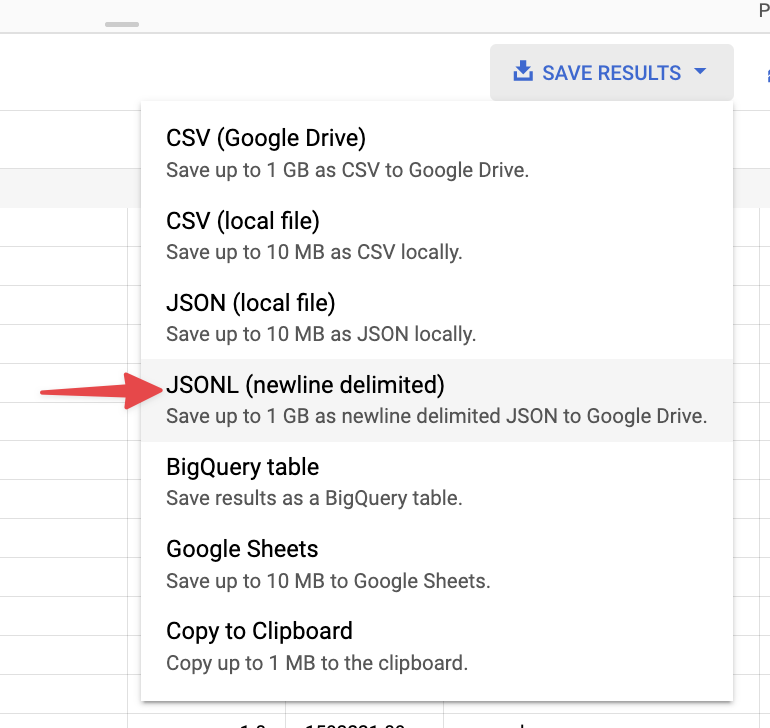
This actually saved a 1.3GB newline-delimited JSON file to my Google Drive! I downloaded that to my computer
Importing it into SQLite with sqlite-utils
sqlite-utils can insert newline-delimited JSON. I ran it like this:
sqlite-utils insert /tmp/billing.db lines bq-results-20220816-213359-1660685720334.json --nlThis took a couple of minutes but gave me a 1GB SQLite file. I opened that in Datasette Desktop.
I decided to slim it down to make it easier to work with, and to turn some of the nested JSON into regular columns so I could facet by them more easily.
Here’s the eventual recipe I figured out for creating that useful subset:
sqlite-utils /tmp/subset.db --attach billing /tmp/billing.db 'create table items as select json_extract(invoice, "$.month") as month, cost, json_extract(service, "$.description") as service, json_extract(sku, "$.description") as sku_description, usage_start_time, usage_end_time, json_extract(project, "$.id") as project_id, json_extract(labels, "$[0].value") as service_name, json_extract(location, "$.location") as location, json_extract(resource, "$.name") as resource_name, currency, currency_conversion_rate, credits, invoice, cost_type, adjustment_infofrom billing.lines'/tmp/subset.db is now a 295MB database.
Some interesting queries
This query showed me a cost breakdown by month:
select month, count(*), sum(cost) from items group by monthThis query showed my my most expensive Cloud Run services:
select service_name, cast('' || sum(cost) as float) as total_costfrom items group by service_name order by total_cost desc;