Newsletter
TechAnV Blog
Get updates on security engineering, Rust, eBPF, and DevSecOps. No spam, unsubscribe anytime.
Check your inbox and click the confirmation link to complete your subscription.
Adding project links to PyPI#
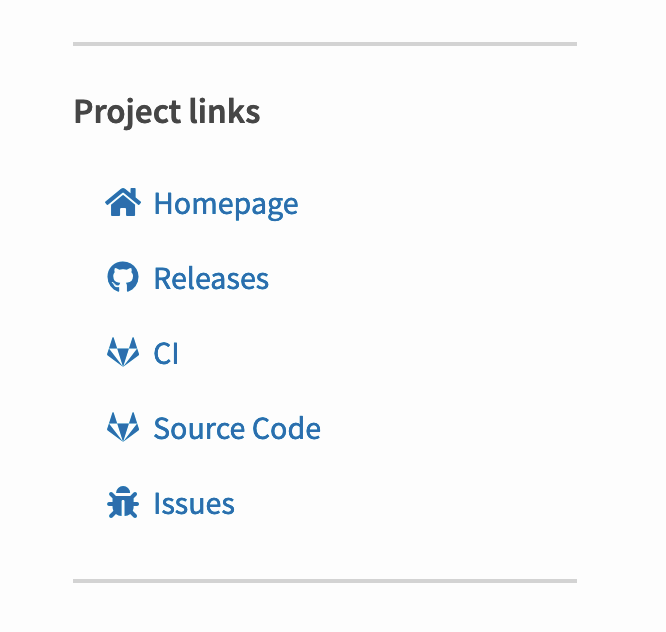
I spotted a neat looking project links section on https://pypi.org/project/ExifReader/
Turns out that’s added using a project_urls key in setup.py, e.g. here: https://gitlab.com/Cyb3r-Jak3/exifreader/-/blob/publish/setup.py
1 project_urls={2 "Issues": "https://gitlab.com/Cyb3r-Jak3/ExifReader/issues",3 "Source Code": "https://gitlab.com/Cyb3r-Jak3/ExifReader/-/tree/publish",4 "CI": "https://gitlab.com/Cyb3r-Jak3/ExifReader/pipelines",5 "Releases": "https://github.com/Cyb3r-Jak3/ExifReader"6 },The documentation says that the keys can be any string you like. So where do those icons come from?
I looked at the HTML source code and searched the PyPI website source code for one of the CSS classes I found there: https://github.com/pypa/warehouse/search?q=fa-bug&unscoped_q=fa-bug
This lead me to the macro that defines the custom icons, which shows what custom keys or URLs are supported: https://github.com/pypa/warehouse/blob/2f00f4a9f208546ff0ebb6a6e61439021ca60a43/warehouse/templates/packaging/detail.html#L16-L60
I added these to the sqlite-utils PyPI page in this commit.